
Sweetsino does not have a separate app to download for iOS or Android - the full casino runs in the mobile browser instead, so Canadian players get the whole site, the CAD cashier and every game without installing anything. The mobile version keeps the same candy design as desktop, reorganised for a smaller screen, and you can add Sweetsino to your home screen to open it with a single tap like an app.
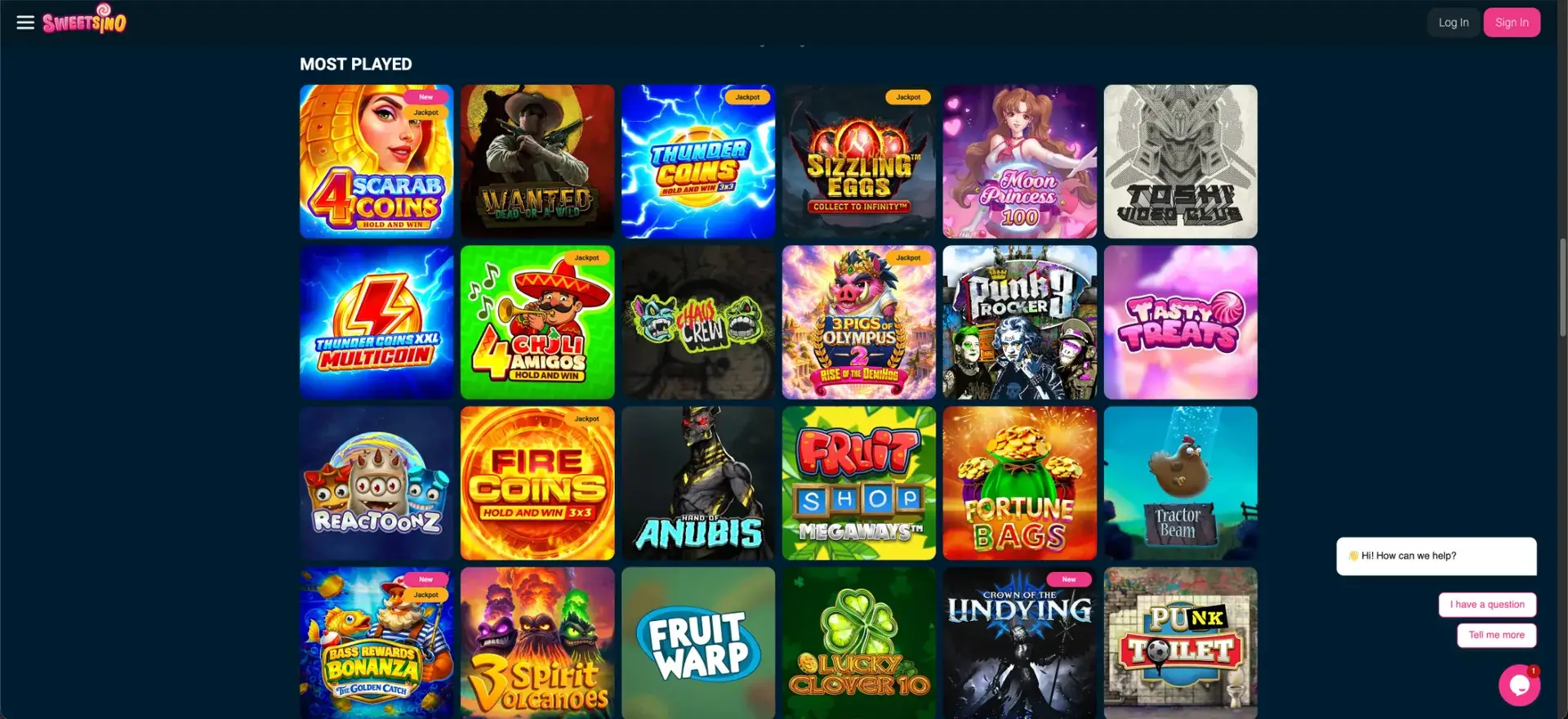
Because everything runs on the website, there are no manual updates, no storage taken up on your phone, and nothing to approve in an app store. This page explains how to open Sweetsino on mobile, how to create a home-screen shortcut on iPhone and Android, and what the CAD cashier looks like on a phone.
| Feature | Mobile browser details |
|---|---|
| Download required | No - runs entirely in the browser |
| iOS access | Safari, Chrome or Firefox |
| Android access | Chrome, Firefox or any modern browser |
| Home-screen shortcut | Available on iOS and Android |
| Game catalogue | Around 15,000 titles - same as desktop |
| CAD cashier | Full deposits and withdrawals on mobile |
| Bonuses | All promotions, VIP and tournaments |
| Live casino | Streamed in the mobile browser |
| Security | SSL encryption - same as desktop |
| Updates | Automatic - nothing to install |
Is there a Sweetsino app for Android or iOS?
No - there is no native Sweetsino app in the App Store or on Google Play. This is by design: the mobile site is built to do everything the desktop version does, which removes the need for a download and keeps the experience the same on every device. For Canadian players, that means you reach the casino by opening the Sweetsino website on your phone, then optionally saving it to your home screen.
How to access Sweetsino on mobile
Getting started on a phone takes only a browser and your login. The steps are below.
- Open your mobile browser - Safari on iPhone, or Chrome on Android.
- Go to the Sweetsino website.
- Tap Log In to sign in, or Sign In to register.
- Browse the lobby, open the cashier, or launch a game directly.
How to add Sweetsino to your home screen
A home-screen shortcut makes the mobile site behave like an app, opening full-screen from your icon grid. The steps differ slightly by device, so both are set out below.
iOS (Safari)
On an iPhone or iPad, the shortcut is created from Safari's share menu. Follow the steps below.
- Open the Sweetsino site in Safari.
- Tap the Share icon at the bottom of the screen.
- Scroll and tap Add to Home Screen.
- Confirm the name and tap Add.
Android (Chrome)
On Android, the shortcut is added from Chrome's menu in a couple of taps. Follow the steps below.
- Open the Sweetsino site in Chrome.
- Tap the three-dot menu in the top-right.
- Select Add to Home screen.
- Confirm, and the icon appears on your home screen.
Features available on mobile
The mobile browser version is not a cut-down build - it carries the full feature set. On a phone or tablet, Canadian players get the following.
- Full catalogue: around 15,000 games, including slots, jackpots and live dealer.
- CAD cashier: deposits and withdrawals with Interac, cards, e-wallets and crypto.
- Promotions: welcome offers, weekend reloads, Spin Days and cashback.
- VIP and tournaments: the same access as desktop.
- Live casino: roulette, blackjack, baccarat and game shows, streamed in the browser.
Mobile payments in CAD
The cashier works the same on mobile as on desktop, with the same methods and CAD limits. The main deposit options on a phone are below.
| Method | Type | Limits per transaction |
|---|---|---|
| Interac | Online Banking | CAD 30 - CAD 4,500 |
| VISA / Mastercard | Credit Card | CAD 30 - CAD 7,500 |
| Apple Pay / Google Pay | Credit Card | CAD 30 - CAD 1,125 |
| MiFinity | E-Wallet | CAD 30 - CAD 3,750 |
| Cryptocurrencies | Crypto | No fixed min/max |
Withdrawals on mobile start at CAD 45 and go back through Interac, wire transfer, cards, MiFinity, Jeton or crypto - most within 24 hours.
Security on the mobile version
Playing through the browser does not lower security. The mobile site uses the same SSL encryption as desktop, the same login protection, and the same KYC checks at withdrawal, so your details and funds are handled the same way regardless of device.
Tips for Canadian players on mobile
A few small steps keep the mobile site running smoothly. Consider the following.
- Add Sweetsino to your home screen for one-tap access.
- Keep your browser updated so games and the cashier load correctly.
- Use Interac for quick CAD deposits and withdrawals.
- A stable connection helps live-dealer streams run without interruption.
Frequently asked questions
The most common questions about Sweetsino on mobile are answered below.
Is there a Sweetsino app to download?
No. Sweetsino runs entirely in the mobile browser; there is no app in the App Store or Google Play.
How do I play Sweetsino on my phone?
Open the Sweetsino website in your mobile browser and log in. You can add it to your home screen to open it like an app.
Can I deposit and withdraw in CAD on mobile?
Yes. The full CAD cashier is available on mobile, including Interac, cards, e-wallets and cryptocurrencies.
Does the mobile version have all the games?
Yes. The mobile browser gives access to the same catalogue of around 15,000 games and the same live casino as desktop.
Is the mobile site secure?
Yes. It uses the same SSL encryption and KYC checks as the desktop site.